Saving and ready books
Save a copy
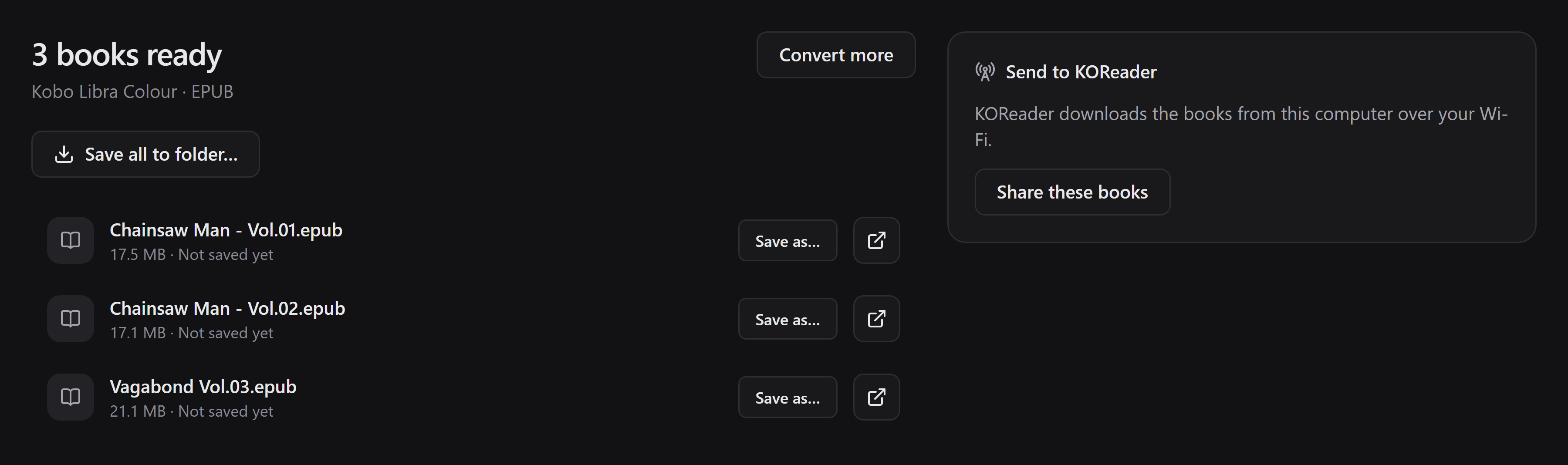
Section titled “Save a copy”Use Save as… beside a book to choose its name and destination. For multiple books, Save all to folder… copies them into the selected folder.
You can save again while the pending books remain available. Batch saving does not replace existing files: it chooses a free numbered name, so repeated saves may create extra copies. Individual Save as… uses the native save dialog’s overwrite confirmation.
If saving fails or shows a warning, read the message and retry. A book may have been copied even if recording it in the destination catalog failed; check that folder before making another copy. The pending copy remains available for recovery.
Open or share
Section titled “Open or share”- The open action beside a book launches the operating system’s default application. If none is associated with EPUB/CBZ/PDF, install a compatible reader or set the file association.
- The folder action appears for a saved book and reveals its saved location.
- Share these books serves the pending books over OPDS without requiring a separate export first. See local sharing.
What survives a restart?
Section titled “What survives a restart?”Pending books are stored in Mangabound’s persistent local app data, not the OS temporary directory. Unsaved, partly saved, or warning-affected conversions remain under Ready books in the queue. View books opens their results.
When every book in a completed conversion has been successfully saved and recorded, its pending copies can be cleaned up on app exit. The exported copies remain where you saved them. Keep your own backups; pending app data is not a permanent library.

Delete pending books
Section titled “Delete pending books”The queue’s Ready books section has a Delete action for each conversion group. It permanently removes all pending generated books in that group, after confirmation—not just a list entry or one chosen volume.
It does not remove your original input or copies exported to another folder. Deletion is blocked while conversion is running or that group’s books are being saved or shared. Stop sharing or wait for the operation to finish, then retry.