Seu navegador está em português, e este guia está disponível em português.
お使いのブラウザは日本語に設定されています。このガイドは日本語でも読めます。
Quickstart
1. Add your manga
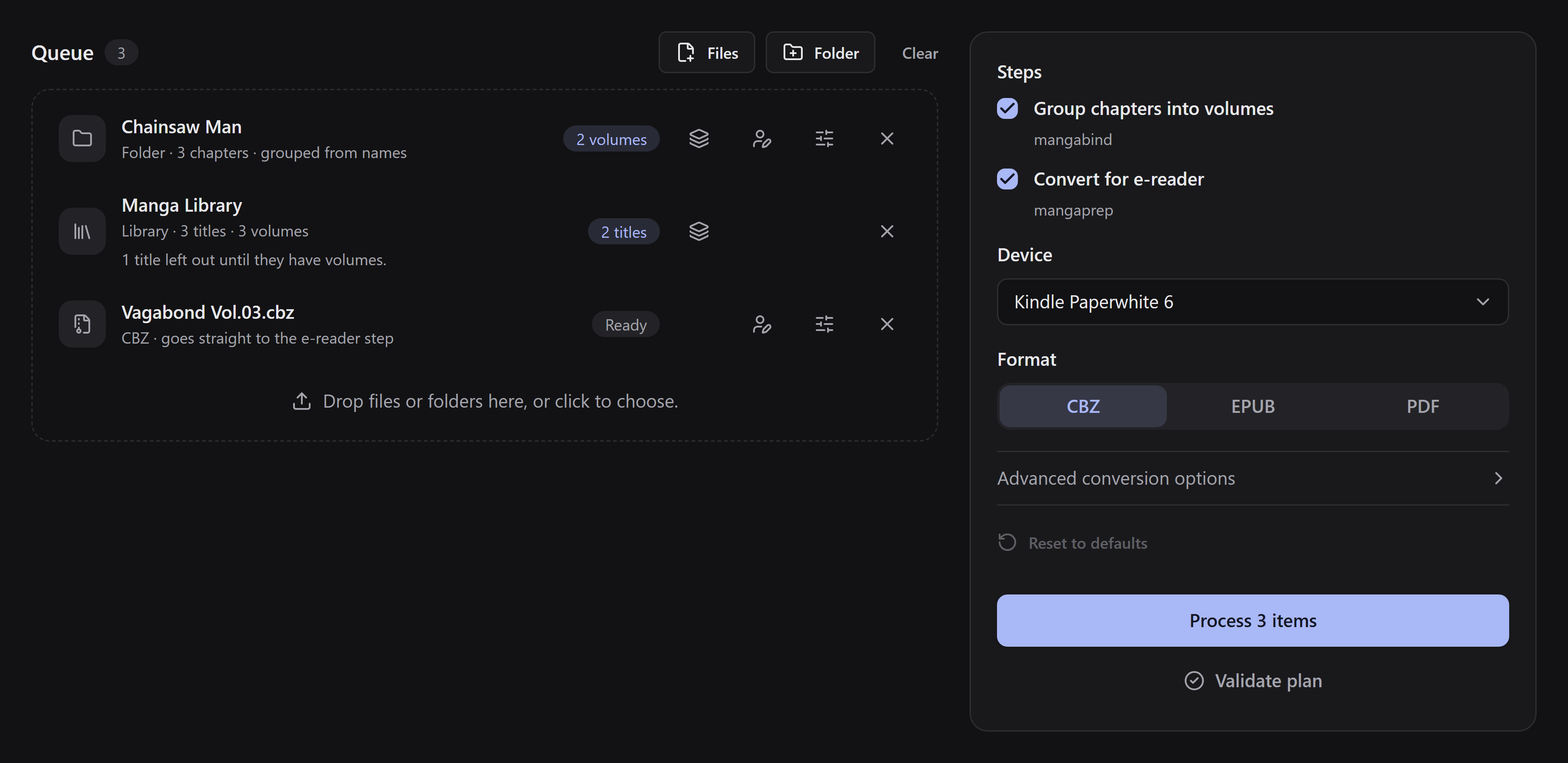
Section titled “1. Add your manga”Drag a manga folder or CBZ into the queue, or use Files or Folder. Clicking the drop area lets you choose what to add.
A folder holds separate chapters. A single CBZ is treated as one complete volume. If you have a separate CBZ for each chapter, add the folder that contains them instead.
2. Choose how to make the books
Section titled “2. Choose how to make the books”For a chapter folder, open Edit books and volumes on its row. If the row says Choose versions, decide which files to keep first; the editor then opens the book choices.
Under Books, choose:
- One book per volume to make separate books. Check the volumes in File names, create them in Manual, or optionally review a suggestion from Online source.
- One book for the whole series to join its chapters and volumes into one book. Volumes are optional: if there are none, press Done. If there are volumes, they remain sections of the book.
A CBZ added as a file is already one book. For a library, choose One book for each title on its title list; each title still needs volumes. See books and volume mapping for the details.
3. Choose your device and format
Section titled “3. Choose your device and format”In Steps, keep Group chapters into volumes and Convert for e-reader on to do both. Then select your Device and Format. Open Advanced conversion options only if you need to change image settings.
A series set to One book for the whole series is joined and converted even if a general step is off. Its choice applies to that series alone. It works in EPUB, CBZ and PDF: EPUB has a table of contents, PDF has bookmarks, and CBZ keeps ordered folders without either. See conversion settings for the format details.
4. Process
Section titled “4. Process”Click Process (or Process N items when the queue has several). The app shows the overall progress, and Show details shows the progress of each volume where it is available. Larger books take longer, and saving can continue after the pages are done.
5. Save or share
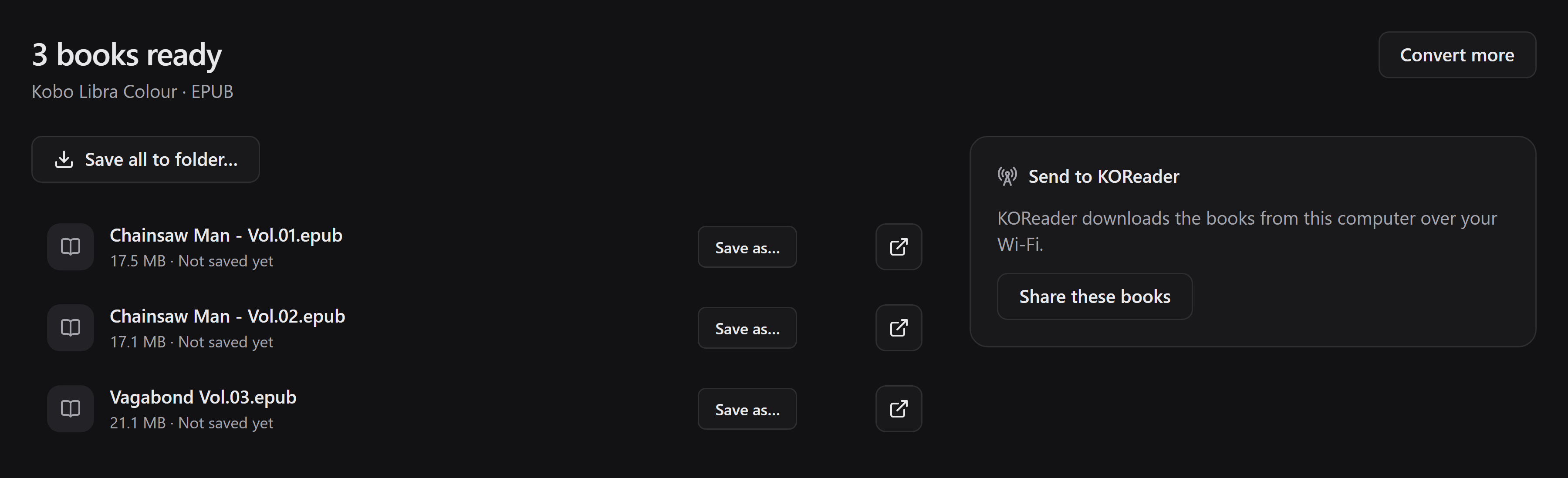
Section titled “5. Save or share”Use Save as… beside a book, or Save all to folder… for several books. While the pending books are still there, you can save again to a different place without converting again.
Share these books lets KOReader download them over your local network, even before you save a copy. Follow the sharing guide.