
Seu navegador está em português, e este guia está disponível em português.
お使いのブラウザは日本語に設定されています。このガイドは日本語でも読めます。
Double-page spreads
The Double-page spreads section of Advanced conversion options says what becomes of a page that is two pages wide. Most scans of a spread are one image across both pages, and a reader that shows one page at a time cannot show it whole at a readable size.
The examples join pages of Go Go! Encyclopedia Girls side by side into one image, the way a scan of a spread is. The later page is on the left and the earlier one on the right, as a book read right to left lies open. The conversion is Manga2Ink’s starting one, with Wide pages set to Both and small pages enlarged, so each half comes out filling the screen.
Each picture shows the spread on top and, under it, the pages mangaprep makes from it, in the order they are read, each drawn as a screen. A part of the spread and the page it becomes have the same number and color. A page that was turned on its side is drawn as you read it, with the device turned, and the arrow says which way to turn it.
When a page counts as a spread
Section titled “When a page counts as a spread”mangaprep calls a page a spread when it is a landscape page and the screen is a portrait one, and its width is more than 1.16 times its height. The test is made after the margins are cropped, so it is the ratio of the cropped page. A page less wide than that is an ordinary page and is left alone, except with Keep whole, as one page: there, a landscape page that fits the screen once it is turned is turned whatever its ratio.
A page 1.8 times as wide as it is tall, or more, is too wide to cut in two and is turned on its side even when Wide pages says Split into two pages. The example below is three pages side by side, 3240 × 1440 pixels, a ratio of 2.25:
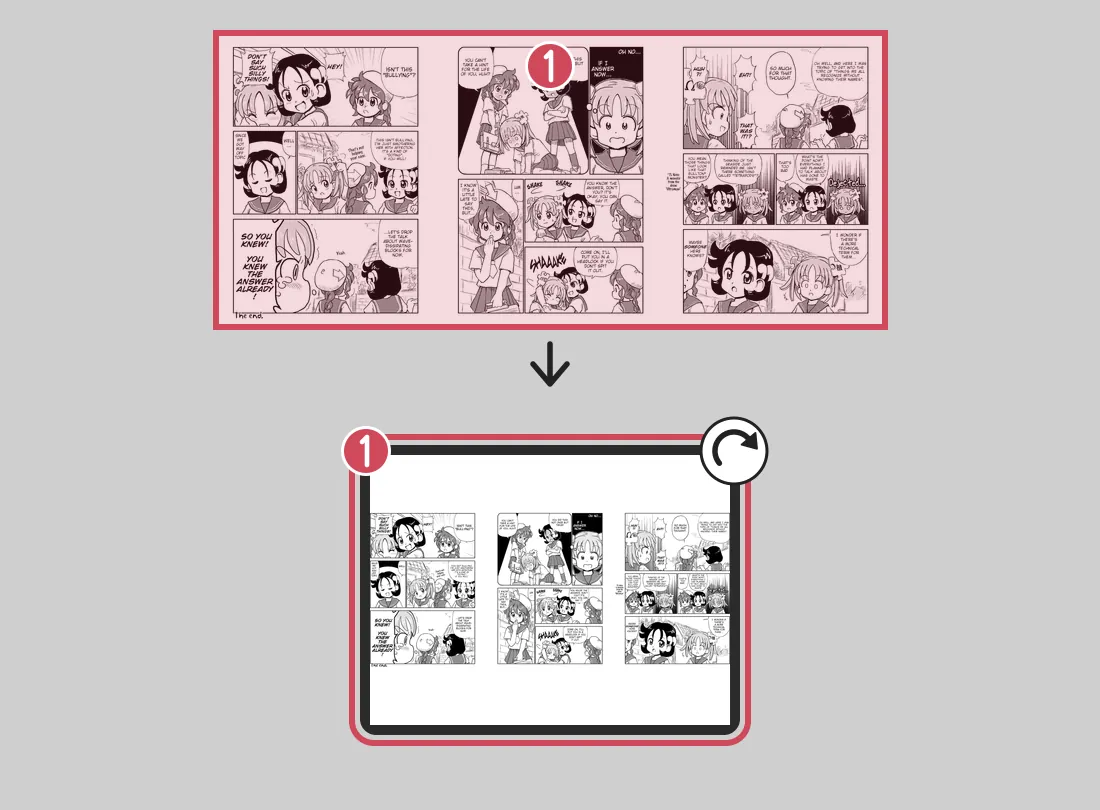
--splitter split1 page: 1272 × 1696 px, 374 KBArt:Go Go! Encyclopedia Girls, page 4 by Kasuga, English version by Masatami (CC BY-SA 4.0); Go Go! Encyclopedia Girls, page 3 by Kasuga, English version by Masatami (CC BY-SA 4.0); Go Go! Encyclopedia Girls, page 2 by Kasuga, English version by Masatami (CC BY-SA 4.0). Converted with mangaprep 0.9.0.


Wide pages
Section titled “Wide pages”- Split into two pages: the spread becomes its two halves, two pages.
- Keep whole, as one page: the spread stays one image and is turned on its side, so you read it by turning the device. One page.
- Both: the halves, then the whole: the two halves, then the whole spread turned. Three pages. This is the starting choice.
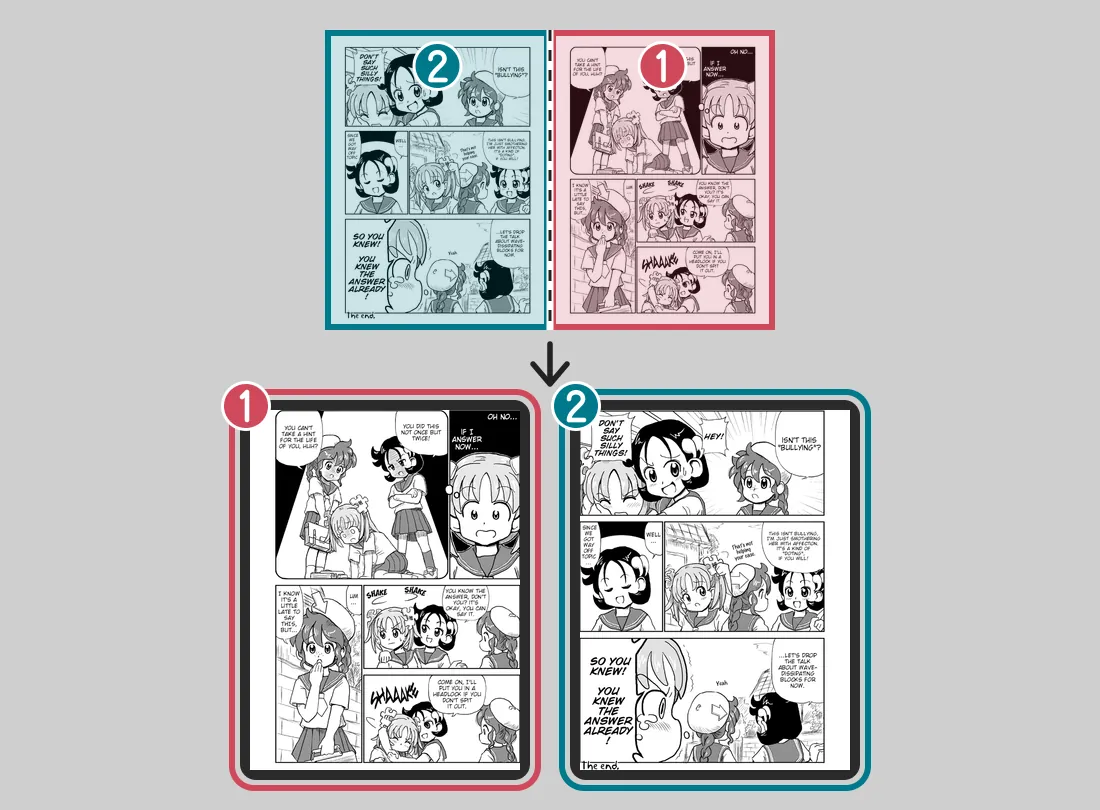
--splitter split2 pages: 1272 × 1696, 1272 × 1696 px, 748 KB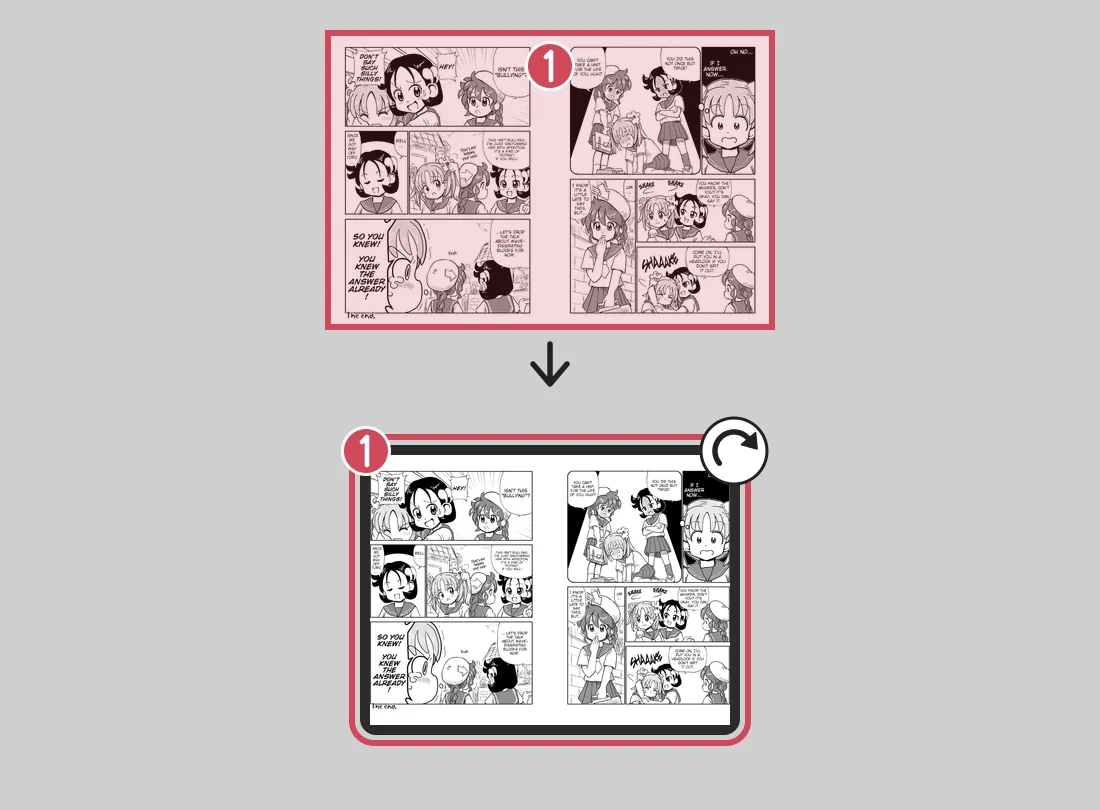
--splitter rotate1 page: 1272 × 1696 px, 451 KB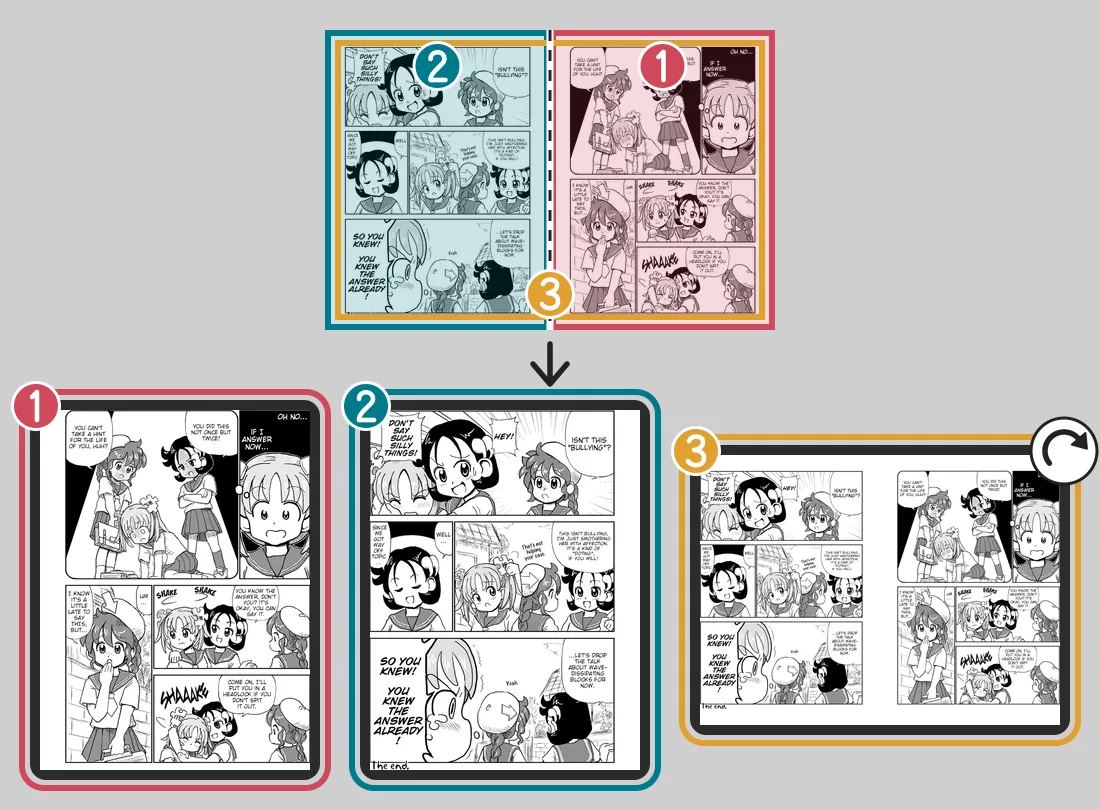
--splitter both3 pages: 1272 × 1696, 1272 × 1696, 1272 × 1696 px, 1199 KBArt:Go Go! Encyclopedia Girls, page 4 by Kasuga, English version by Masatami (CC BY-SA 4.0); Go Go! Encyclopedia Girls, page 3 by Kasuga, English version by Masatami (CC BY-SA 4.0). Converted with mangaprep 0.9.0.
--splitter takes split, rotate or both, and -r is its short form.
Manga reading order
Section titled “Manga reading order”With Manga reading order on, the right half of a spread is the first page, and the left half the second. With it off, the left half comes first. The pictures use the same spread, laid out as a right-to-left book lies open: the right half is the earlier page. With the option off the book would show the later page first.
--splitter split2 pages: 1272 × 1696, 1272 × 1696 px, 748 KB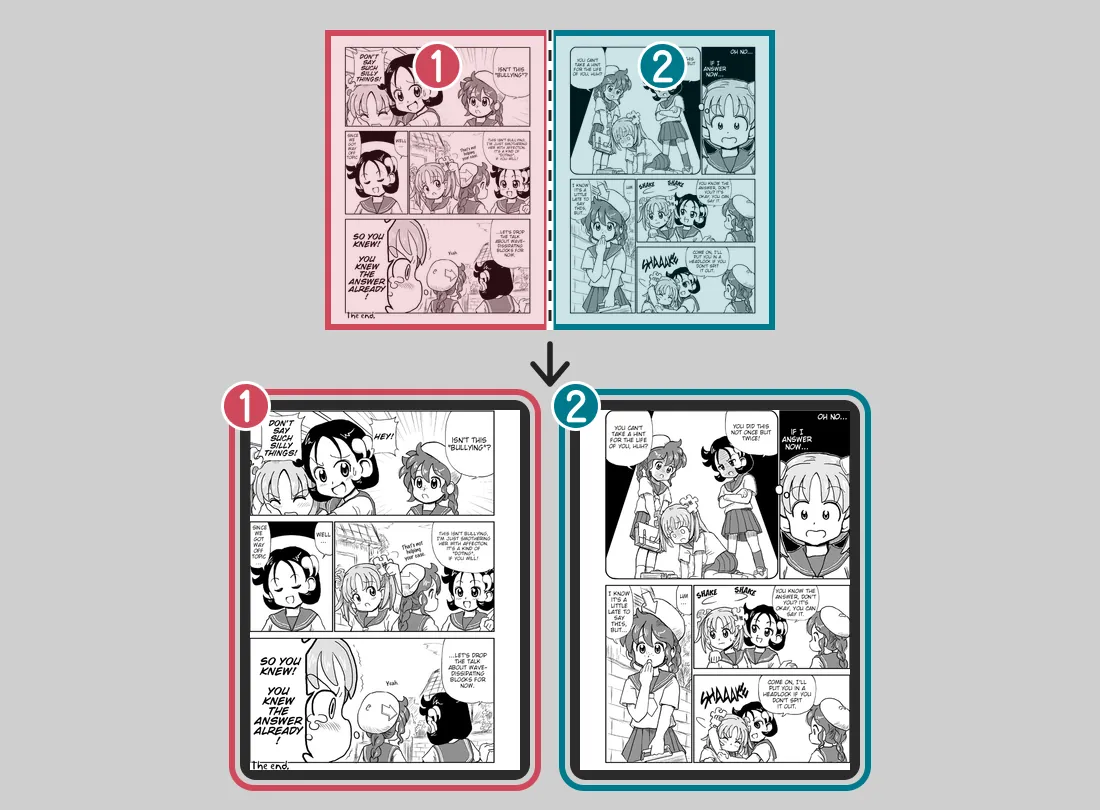
--splitter split2 pages: 1272 × 1696, 1272 × 1696 px, 748 KBArt:Go Go! Encyclopedia Girls, page 4 by Kasuga, English version by Masatami (CC BY-SA 4.0); Go Go! Encyclopedia Girls, page 3 by Kasuga, English version by Masatami (CC BY-SA 4.0). Converted with mangaprep 0.9.0.
Set it to match how the book is read: on for manga. Reading says what else it does, such as the direction an EPUB records, and why it does not apply to Webtoon strips.
The whole spread: first, upright or clockwise
Section titled “The whole spread: first, upright or clockwise”These three apply only when the whole spread is kept, which is Keep whole or Both.
- Whole spread first puts the whole spread before its two halves instead of after. It needs Both, since only then are there two kinds of page to put in order.
--rotatefirst. - Keep the whole spread upright does not turn it on its side: you read it with the device in landscape. The page it makes has the spread’s own shape and can be wider than the screen: in the example below it is 1972 × 1306 pixels, for a screen 1272 pixels wide.
--norotate. - Rotate clockwise turns the whole spread to the right instead of the left, the default. It means nothing while the spread is kept upright, since nothing is turned.
--rotateright.
--splitter both3 pages: 1272 × 1696, 1272 × 1696, 1272 × 1696 px, 1199 KB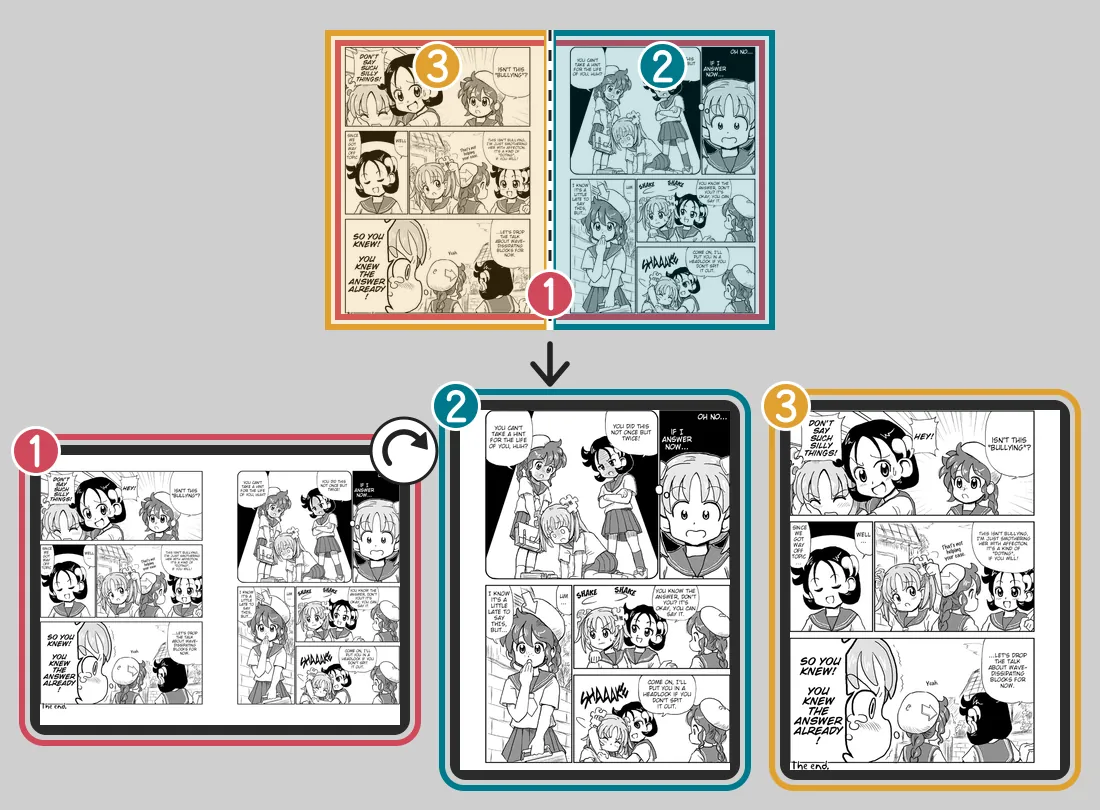
--splitter both --rotatefirst3 pages: 1272 × 1696, 1272 × 1696, 1272 × 1696 px, 1199 KB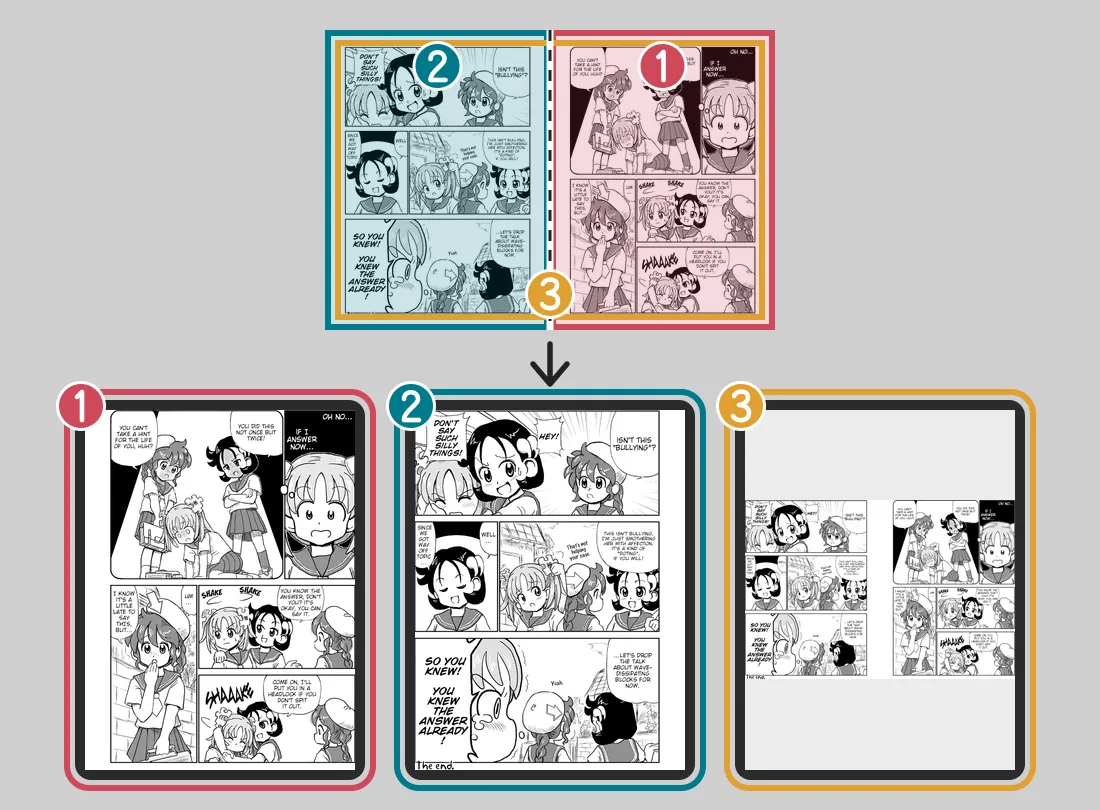
--splitter both --norotate3 pages: 1272 × 1696, 1272 × 1696, 1972 × 1306 px, 1316 KB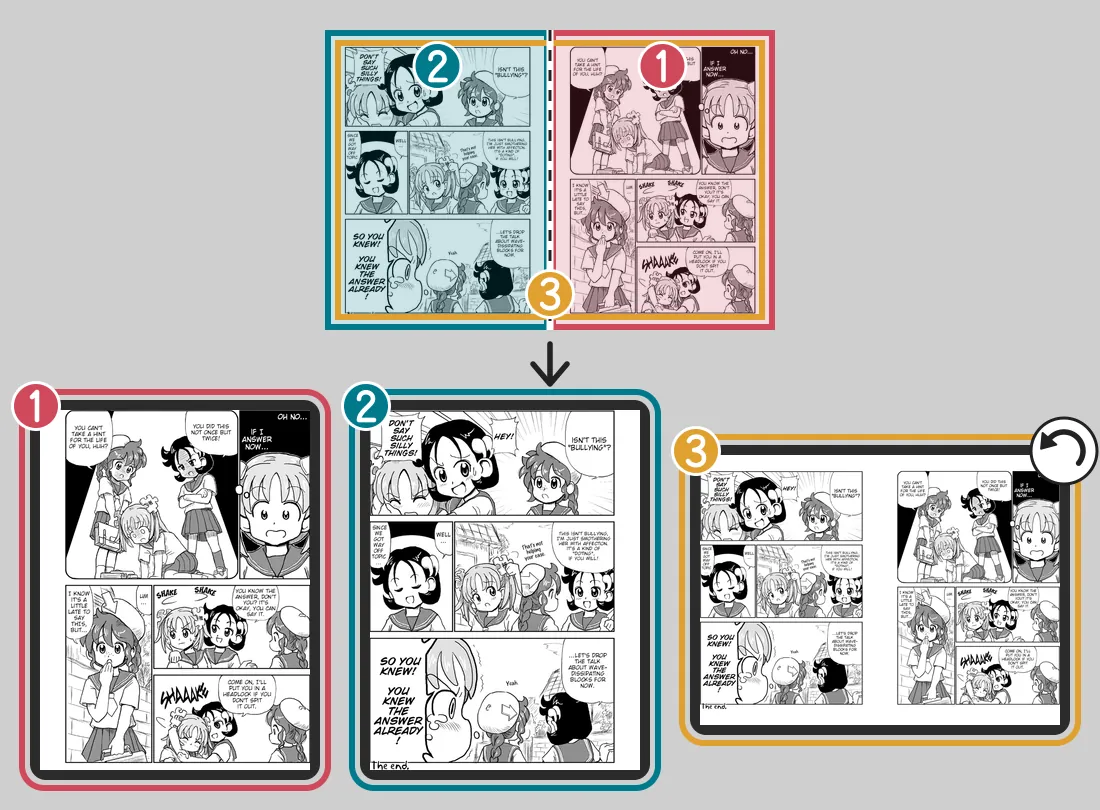
--splitter both --rotateright3 pages: 1272 × 1696, 1272 × 1696, 1272 × 1696 px, 1201 KBArt:Go Go! Encyclopedia Girls, page 4 by Kasuga, English version by Masatami (CC BY-SA 4.0); Go Go! Encyclopedia Girls, page 3 by Kasuga, English version by Masatami (CC BY-SA 4.0). Converted with mangaprep 0.9.0.
Restack 4-panel strips as 2×2
Section titled “Restack 4-panel strips as 2×2”This option is for pages that are not spreads at all: a page made of two tall strips, such as a 1×4 comic strip printed as one long page. mangaprep cuts each page in two and stacks the halves one over the other, so four panels in a row become two rows of two. It replaces the handling of wide pages, so Wide pages and the three options above are dimmed while it is on.
The example has no strip to restack, so it uses the spread: the two halves are two whole pages, and they come out stacked on one page, the right half above the left one.
no flag3 pages: 1272 × 1696, 1272 × 1696, 1272 × 1696 px, 1199 KB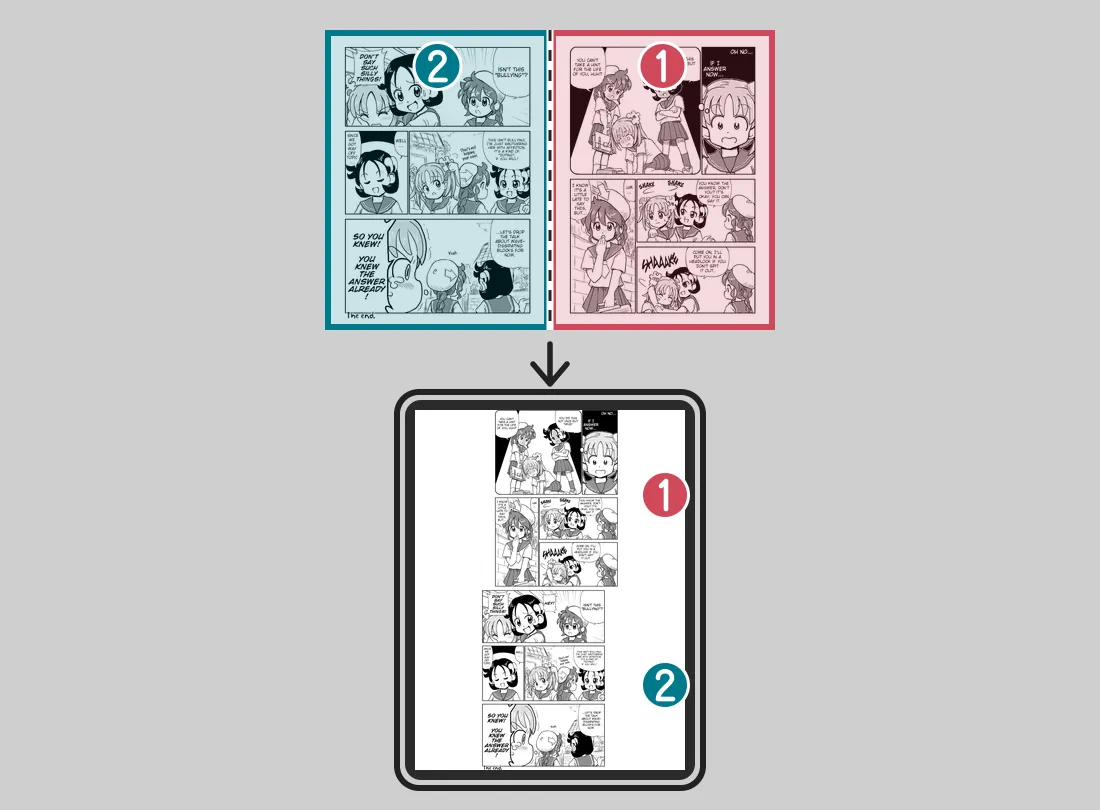
--maximizestrips1 page: 1272 × 1696 px, 310 KBArt:Go Go! Encyclopedia Girls, page 4 by Kasuga, English version by Masatami (CC BY-SA 4.0); Go Go! Encyclopedia Girls, page 3 by Kasuga, English version by Masatami (CC BY-SA 4.0). Converted with mangaprep 0.9.0.
--maximizestrips turns it on.
Two-page view
Section titled “Two-page view”For readers that show two pages side by side, such as Kobo’s and Kindle’s own. An EPUB carries these three options in its package file and nothing else does, so the app dims them for CBZ and PDF. KOReader ignores them.
The sides below were read from the package file of a book of three ordinary pages, with Manga reading order on, so that the book turns right to left:
- With none of the three options, pages 1, 2 and 3 sit on the right, left and right.
- Start on the other side: the book still turns right to left, and the pages sit left, right, left.
- Invert page turns: the book turns left to right, and the pages sit left, right, left.
- Both of those: the book turns left to right, and the pages sit right, left, right.
- One page in landscape: every page is centered.
The pictures show the same five cases as a reader lays them out. Each screen is a pair of sides, with the pages numbered 1 to 3; the screens are in the order they are read, the first one where the arrow starts, and the arrow points the way the book turns. A side with no page is left empty, and a page shown alone fills its screen. The sides and the direction are read from the package file of an EPUB made for each case.
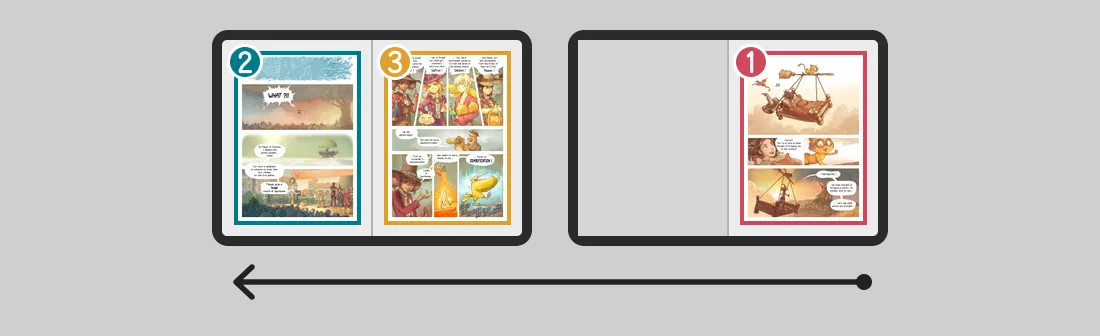
no flag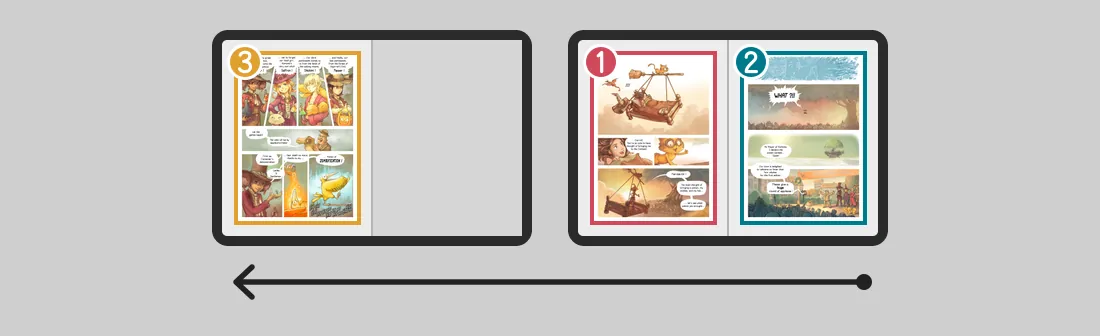
--spreadshift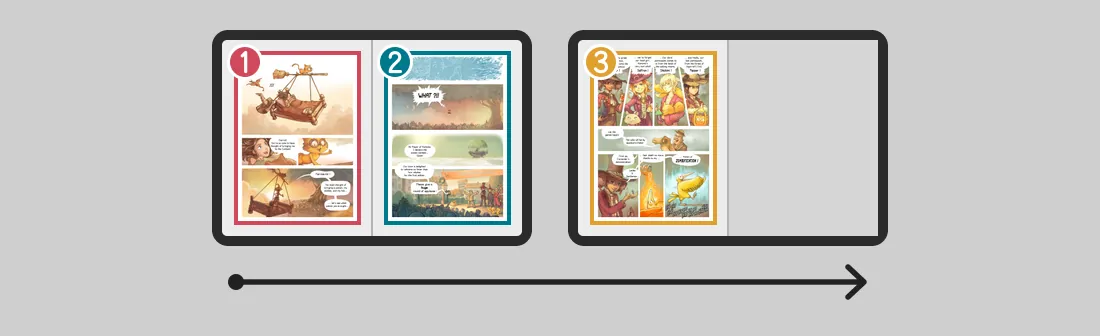
--invertdirection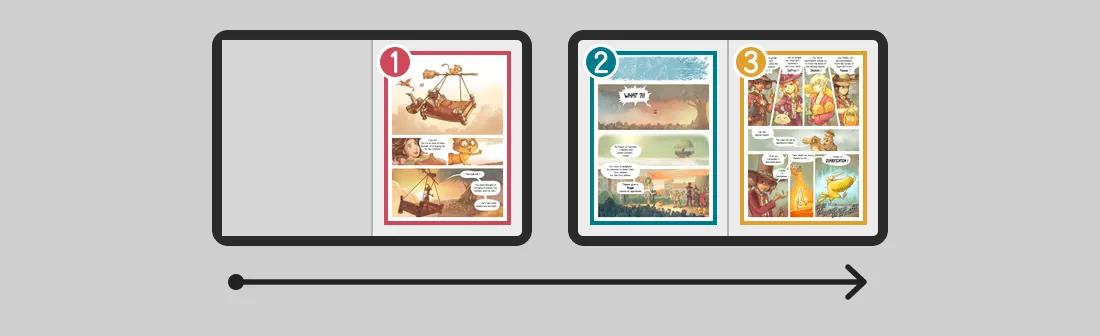
--spreadshift --invertdirection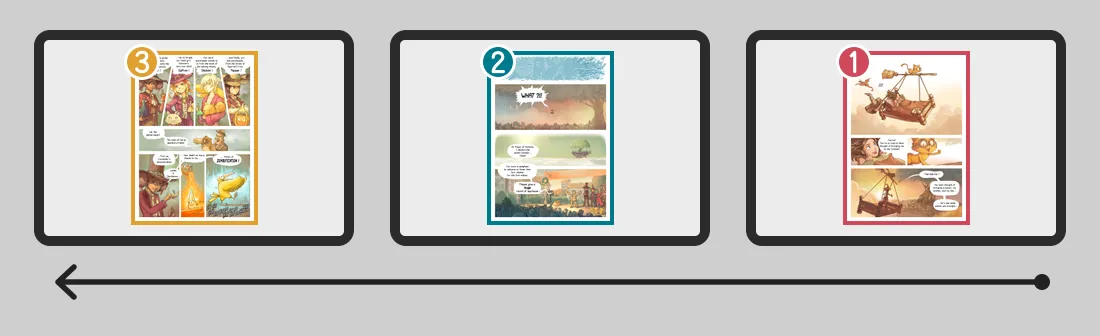
--onepagelandscapeArt:Pepper&Carrot, episode 6 by David Revoy (CC BY 4.0). Converted with mangaprep 0.9.0.
What each one does:
- Start on the other side starts the book on the other side of the two-page view, so that spreads line up. It changes where an ordinary page sits, and only when no spread follows it: the halves of a spread always take a pair of sides, and the pages before one are placed so that they end on the pair before it. In a book that has a spread after its first pages, the setting changes nothing there.
--spreadshift. - Invert page turns reverses the direction the book turns, in its package file, and starts it on the other side as well; with both options on, the sides cancel out and only the direction stays reversed. KOReader has its own setting for this.
--invertdirection. - One page in landscape shows each page alone and centered instead of in a pair.
--onepagelandscape.
When these options are dimmed
Section titled “When these options are dimmed”The app dims an option that another choice leaves without effect, and says why.
- Use the images as they are and Webtoon strips dim Wide pages, the three whole-spread options and Restack 4-panel strips, since nothing is split or turned; Webtoon strips dims Manga reading order too. The full lists are in Page images and Reading.
- Restack 4-panel strips as 2×2 dims Wide pages and the three whole-spread options, which it replaces.
- Whole spread first is dimmed unless Wide pages is Both. Keep the whole spread upright and Rotate clockwise are dimmed while Wide pages is Split into two pages, and Rotate clockwise also while the spread is kept upright.
- The three two-page-view options are dimmed for CBZ and PDF.