
Seu navegador está em português, e este guia está disponível em português.
お使いのブラウザは日本語に設定されています。このガイドは日本語でも読めます。
Page images
The Page images section of Advanced conversion options is about the file each page is saved as, not about how the page looks: the same drawing, in a bigger or smaller file, with its tones kept or reduced. The numbers below are the sizes of the files mangaprep wrote for one page of Pepper&Carrot, 992 × 1373 pixels, converted for the Kindle Paperwhite 6, as in the other pages of this guide.
Page format
Section titled “Page format”- JPEG, full tone, the starting choice: each page is a gray JPEG that keeps all 256 tones. It is not dithered.
--forcepngis not given. - PNG, reduced to the screen’s grays: each page is reduced to the grays the device’s screen can show, with Floyd–Steinberg dithering, and saved as a PNG without loss. That is 16 grays for every profile but two: Kindle 1 has 4, Kindle 2 has 15. The file is a palette PNG, which stores 4 bits per pixel (2 for Kindle 1).
--forcepng.
The picture is a 120-pixel square of the page, enlarged to 700 pixels without smoothing, so that single pixels show. The first is the JPEG, the second the PNG, the third the PNG with Keep all 256 grays, which skips the reduction:
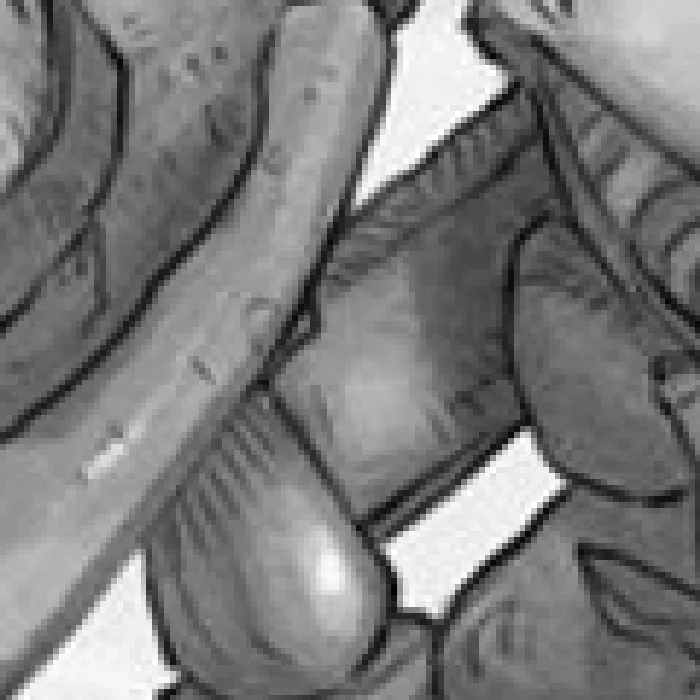
no flag1272 × 1696 px, 255 KB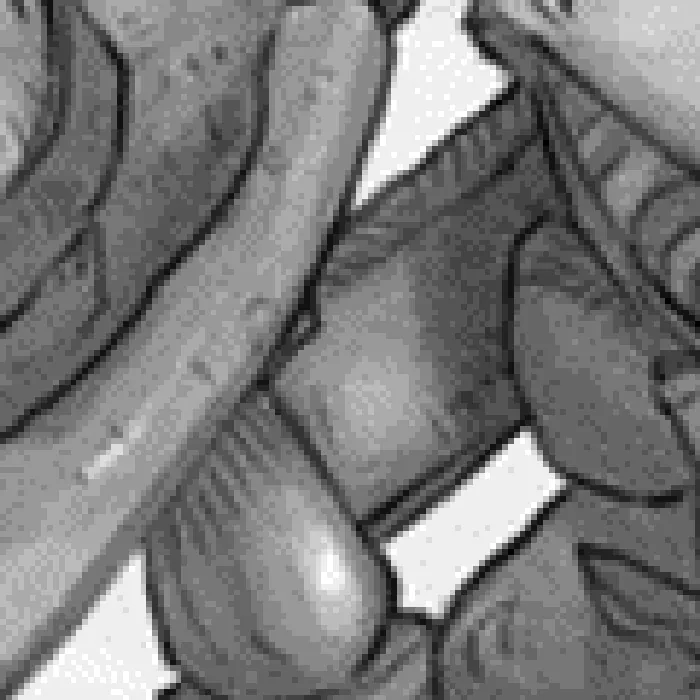
--forcepng1272 × 1696 px, 337 KB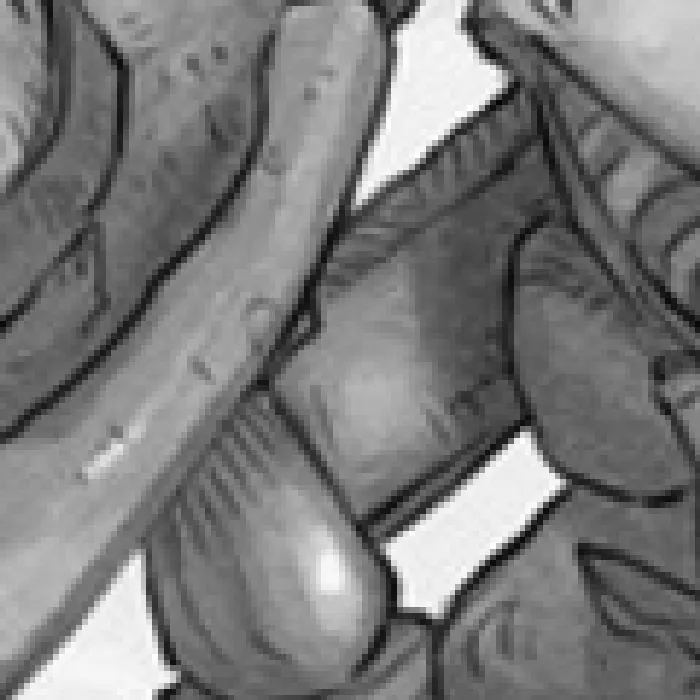
--forcepng --noquantize1272 × 1696 px, 740 KBArt:Pepper&Carrot, episode 6 by David Revoy (CC BY 4.0). Converted with mangaprep 0.9.0.
PNG is not the smaller file here. A PNG keeps every pixel it is given, and the dither makes pixels that a compressor cannot fold together, so the 16-gray PNG of this page is bigger than its JPEG:
| Setting | On the command line | Page | File size |
|---|---|---|---|
| Page format: JPEG, full tone | no flag | 1272 × 1696, JPEG | 255 KB |
| Page format: PNG, reduced to the screen’s grays | --forcepng | 1272 × 1696, PNG | 337 KB |
| PNG with 8-bit PNG | --forcepng --pnglegacy | 1272 × 1696, PNG | 398 KB |
| PNG with Keep all 256 grays | --forcepng --noquantize | 1272 × 1696, PNG | 740 KB |
| Color pages: Keep in color | --forcecolor | 1272 × 1696, JPEG | 293 KB |
| Color pages: Keep in color, with PNG pages | --forcecolor --forcepng | 1272 × 1696, JPEG | 293 KB |
| Color pages: Keep in color, with Color pages as PNG too | --forcecolor --forcepng --force-png-rgb | 1272 × 1696, PNG | 2 MB |
Art:Pepper&Carrot, episode 6 by David Revoy (CC BY 4.0). Converted with mangaprep 0.9.0.
In a CBZ for the four oldest Kindles (Kindle 1, Kindle 2, Kindle Keyboard/Touch and Kindle DX/DXG), and in a PDF, a PNG page is always an 8-bit gray one, as with 8-bit PNG below.
Keep all 256 grays
Section titled “Keep all 256 grays”Skips the reduction: the page keeps every tone, and is saved as an 8-bit gray PNG without loss. It is the biggest of the gray files in the table above, about three times the JPEG, and the page is as smooth as the JPEG in the picture. It applies only to PNG pages, so it is dimmed with JPEG, full tone. --noquantize.
8-bit PNG
Section titled “8-bit PNG”For readers that cannot open the more compact palette PNG. The pixels are the same, the 16 grays, and the file is an 8-bit gray PNG, which takes more room: the third row of the table, against the second. It is dimmed unless Page format is PNG, while Keep all 256 grays is on (the page is already 8-bit), and in a PDF (always 8-bit). --pnglegacy.
Color pages as PNG too
Section titled “Color pages as PNG too”Color is chosen in Color and tone; this is about the file a color page is saved as. A page kept in color is saved as an RGB JPEG, and stays one even when Page format is PNG: PNG only reduces the grays of the pages that are gray. Color pages as PNG too saves the color pages as PNG as well, without loss, and it is the one option here that changes the size by an order of magnitude: in the last three rows of the table the color JPEG, the same with PNG pages and the color PNG are 293 KB, 293 KB and 2 MB for the same page, seven times as much. It is dimmed unless color pages are kept in color and Page format is PNG. --force-png-rgb.
JPEG quality
Section titled “JPEG quality”The quality of the pages saved as JPEG, from 1 to 100. Left empty, the device’s own is used: 90 for the Kindle Scribe and Colorsoft profiles and 85 for every other. The page below is saved at 85:
| Setting | On the command line | Page | File size |
|---|---|---|---|
| JPEG quality: 100 | --jpeg-quality 100 | 1272 × 1696, JPEG | 749 KB |
| JPEG quality: 95 | --jpeg-quality 95 | 1272 × 1696, JPEG | 437 KB |
| JPEG quality: 90 | --jpeg-quality 90 | 1272 × 1696, JPEG | 316 KB |
| JPEG quality: 85 | --jpeg-quality 85 | 1272 × 1696, JPEG | 255 KB |
| JPEG quality: 70 | --jpeg-quality 70 | 1272 × 1696, JPEG | 175 KB |
| JPEG quality: 50 | --jpeg-quality 50 | 1272 × 1696, JPEG | 128 KB |
| JPEG quality: 30 | --jpeg-quality 30 | 1272 × 1696, JPEG | 92 KB |
| JPEG quality: 10 | --jpeg-quality 10 | 1272 × 1696, JPEG | 45 KB |
Art:Pepper&Carrot, episode 6 by David Revoy (CC BY 4.0). Converted with mangaprep 0.9.0.
The size falls steeply as the number drops. The picture shows what that costs: a speech bubble of the page, enlarged, at 85, 30 and 10:
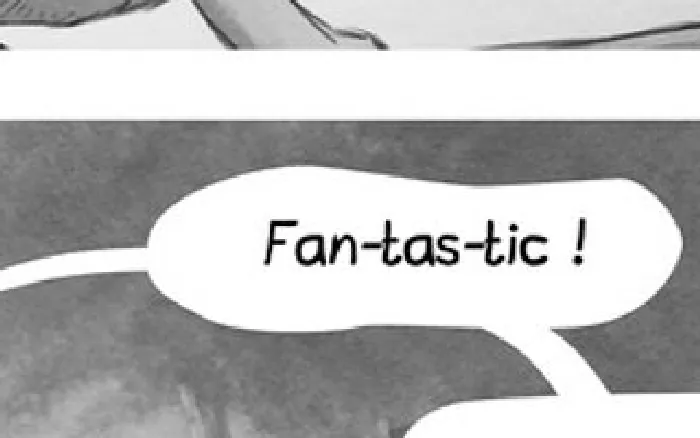
--jpeg-quality 851272 × 1696 px, 255 KB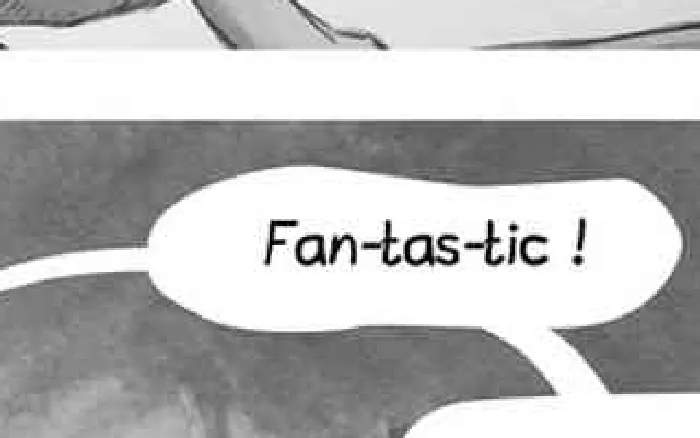
--jpeg-quality 301272 × 1696 px, 92 KB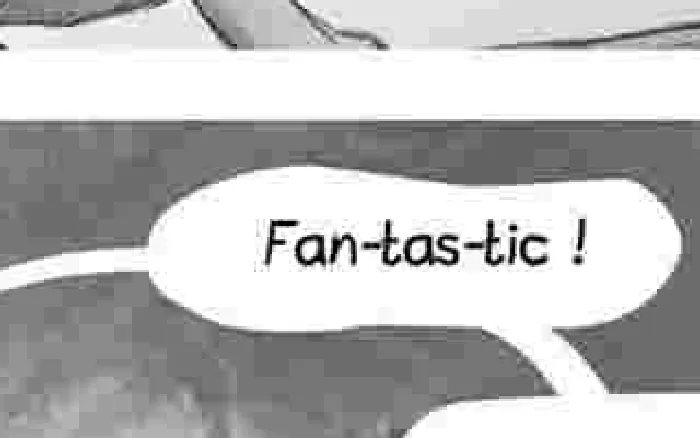
--jpeg-quality 101272 × 1696 px, 45 KBArt:Pepper&Carrot, episode 6 by David Revoy (CC BY 4.0). Converted with mangaprep 0.9.0.
The setting applies to the JPEG pages, to the color pages that stay JPEG, and to an EPUB’s cover, which is always a JPEG whatever the pages are. It is dimmed when nothing is saved as JPEG: in a CBZ or PDF whose pages are all PNG. --jpeg-quality.
Use the images as they are
Section titled “Use the images as they are”Packages the pages untouched: nothing is cropped, resized, turned to gray or saved again. For a CBZ, the file in the book is the input’s file byte for byte; the table compares it with the converted page:
| Setting | On the command line | Page | File size |
|---|---|---|---|
| Use the images as they are: Off | no flag | 1272 × 1696, JPEG | 255 KB |
| Use the images as they are: On | --noprocessing | 992 × 1373, JPEG (the input, unchanged) | 387 KB |
Art:Pepper&Carrot, episode 6 by David Revoy (CC BY 4.0). Converted with mangaprep 0.9.0.
The page above is already a JPEG with more tones than the converted one needs, so the untouched file is the bigger of the two, and it is 992 × 1373 pixels, not the screen’s 1272 × 1696. The reading order, the webtoon cut and the two-page view still apply, and an EPUB’s cover is still made from the first image, so for an EPUB, Color pages and JPEG quality still decide it. An EPUB cannot hold a BMP page unchanged: the conversion is refused and says to turn the option off or choose CBZ.
While it is on, the app dims everything that would change an image: Page format and the three PNG options, Gamma, Reduce rainbow effect, the cropping, size and border options and Autocontrast; for a CBZ or PDF, Color pages and JPEG quality too. --noprocessing.